IcePop Gimmick
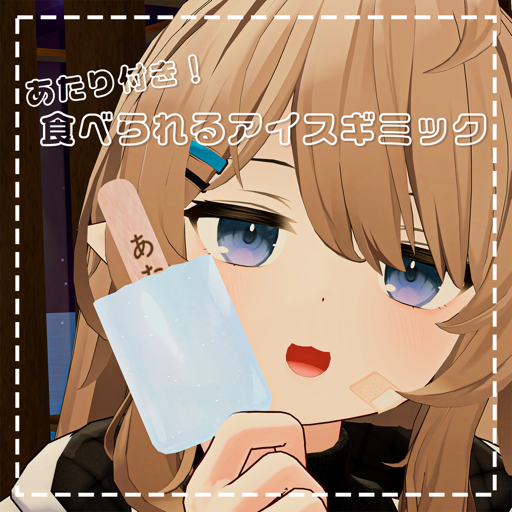
This page explains the IcePop Gimmick (食べられるアイスギミック).
Requirements
Setup
- Drag and drop IcePop.prefab under your avatar
- Move it to your right hand
- Done! (It is set up automatically when you press Play or upload the avatar)
Usage
- Bring it to your avatar's mouth (head) to eat it
- Make a Rock&Roll gesture with your right hand to reset it. Whether the stick is a winner is decided at that moment
- A toggle menu to turn the ice pop on/off is added automatically. To move the menu, set the install target of the MA Menu Installer on
IcePopto the Expression Menu you like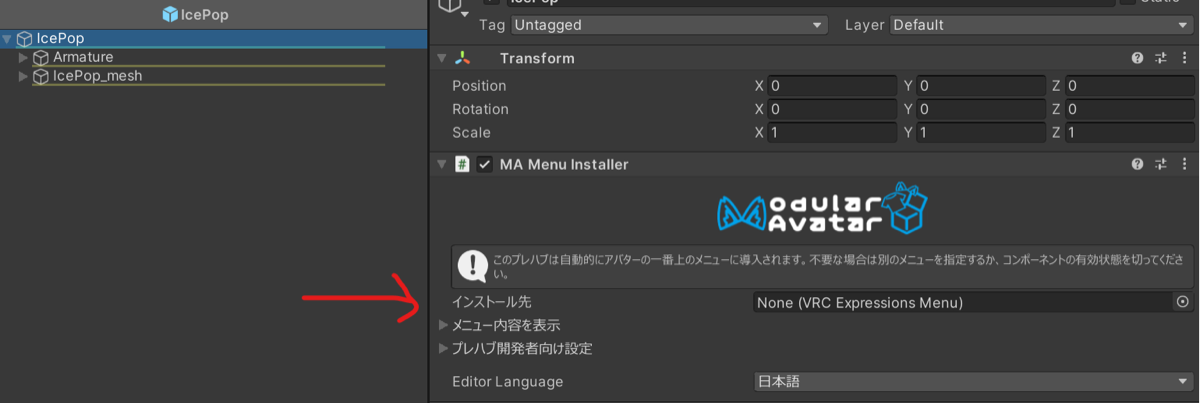
Changing the winning chance
- Open
IcePop.controllerin0001cacao>IcePop>Anim - Select the
Resetnode inIcePop_main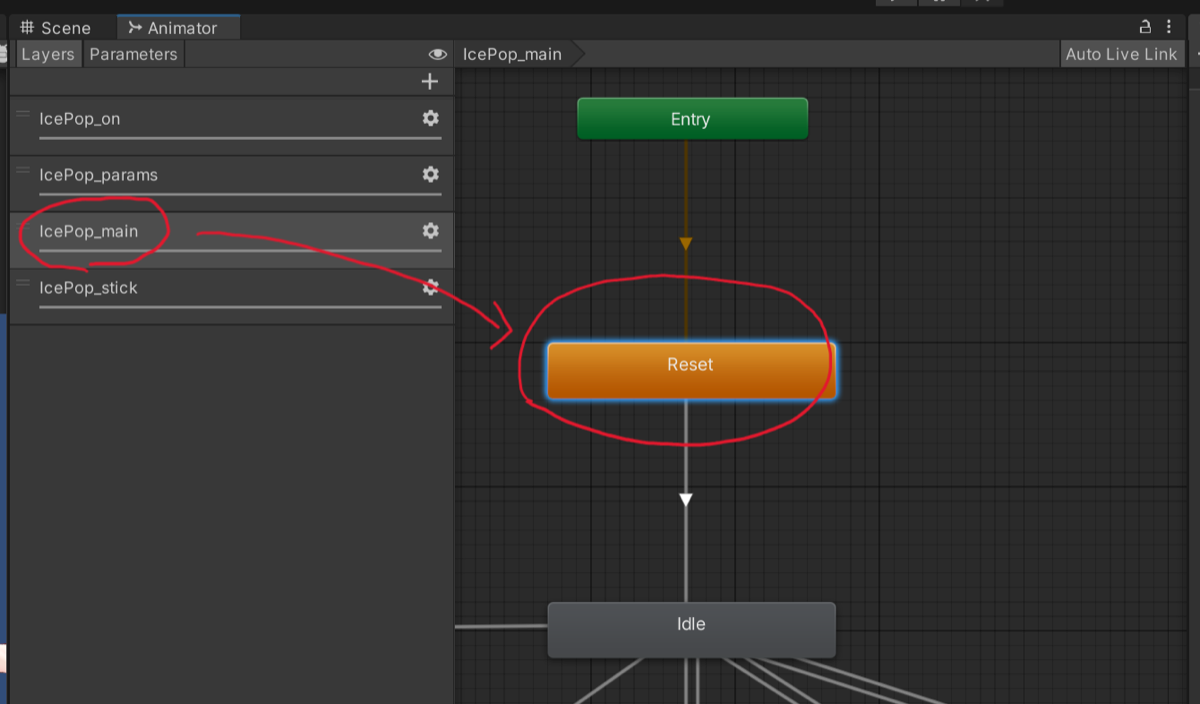
- In the Inspector, change the Chance value of
Stick_statein theVRC Avatar Parameter Drivercomponent- For example, 0.3 for a 30% winning chance
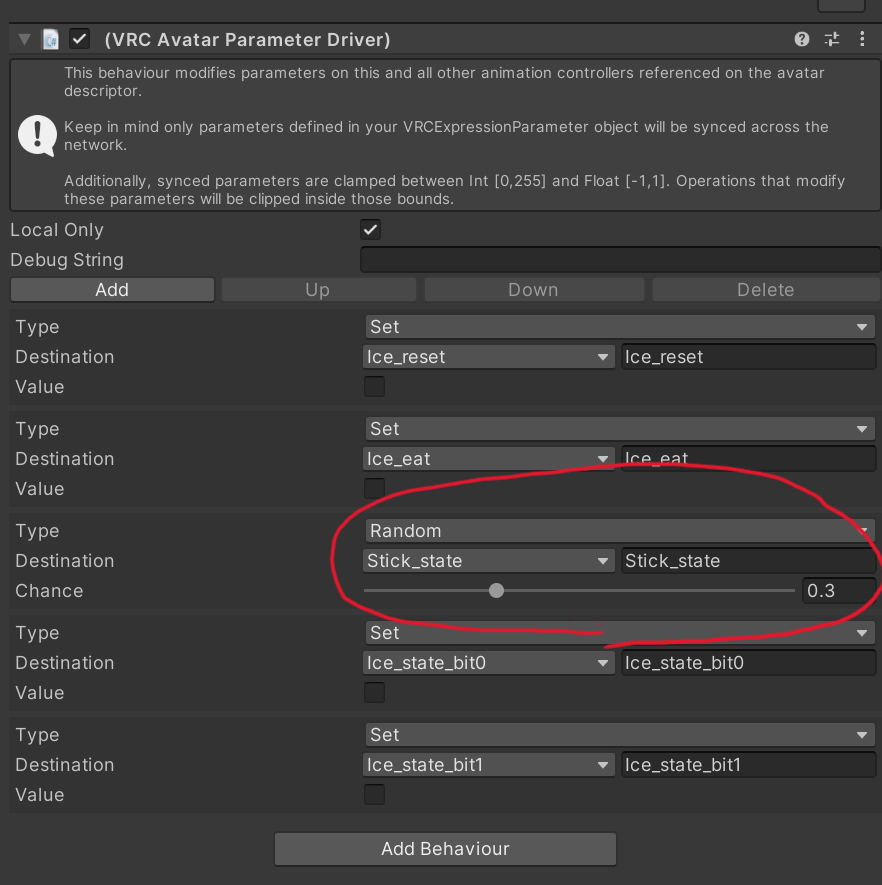
- For example, 0.3 for a 30% winning chance
Update details
v1.1
- The ice pop stick now syncs more reliably
- Fixed other minor mistakes
About v1.1_修正用 (patch)
- A UnityPackage containing only the changes, for those who already installed v1.0
- Import it over the existing files to update