For avatars
Requirements
Setup
- Drag and drop
DonutGimmick.prefabunder your avatar - Adjust the scale of
DonutGimmick(v1.1 and later) - Move
Bag_targetunderDonutGimmickto your left hand - Move
Hand_targetunderDonutGimmickto your right hand - Done!
Usage
- A toggle menu to turn the donut gimmick on/off is added automatically.
- Grab the top of the bag and let go to open it.
- Grab a donut and it moves to your right hand.
- The donut you get is random.
- Bring it to your avatar's mouth (head) to eat it.
- It resets after you eat all the donuts.
- You can fix it to the world from the menu.
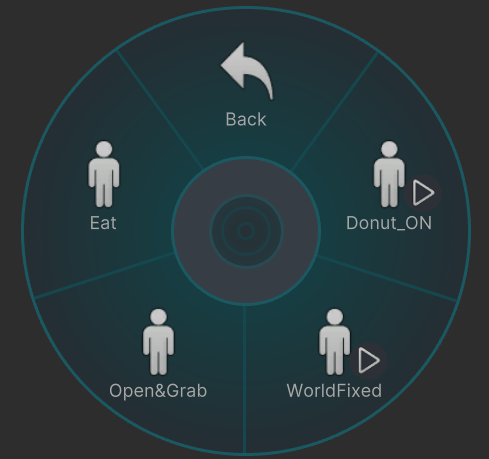
Menu
You can control the gimmick from the menu.
Donut_ON: Show/hide the donut gimmickWorldFixed: Fix the gimmick to the world/release itOpen&Grab: Open the bag/grab a donutEat: Eat the donut
Tips
Using desktop mode
- In desktop mode, use the menu to control the gimmick.
- The gimmick itself cannot move your arms, so you need something like VRChat's
Selfie Expression(webcam tracking) to move them.