Choker Collar
This page explains the Choker Collar (首輪チョーカー).
Setup
Modular Avatar version (MA_ChokerCollar) (recommended)
- Drag and drop it under your avatar
- Adjust the position
- Done
Non-Modular Avatar version (ChokerCollar)
- Drag and drop it under your avatar
- Unpack Prefab
- Move the Armature to your avatar's neck
- Move Chest_Collider(ChokerCollar) to your avatar's chest
- Adjust the position
- Done
Other
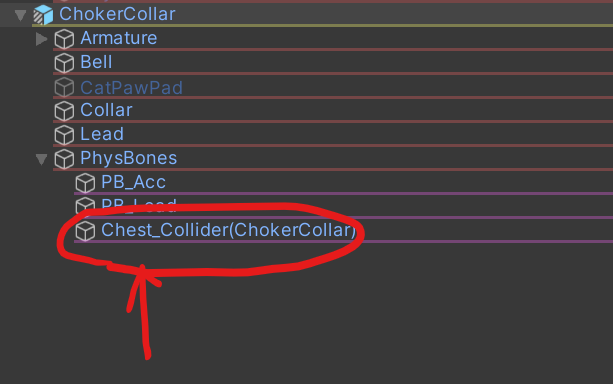
Fitting the leash to your avatar
If the leash clips into your avatar, adjust the position and size of the PB collider Chest_Collider(ChokerCollar) on MA_ChokerCollar or ChokerCollar.
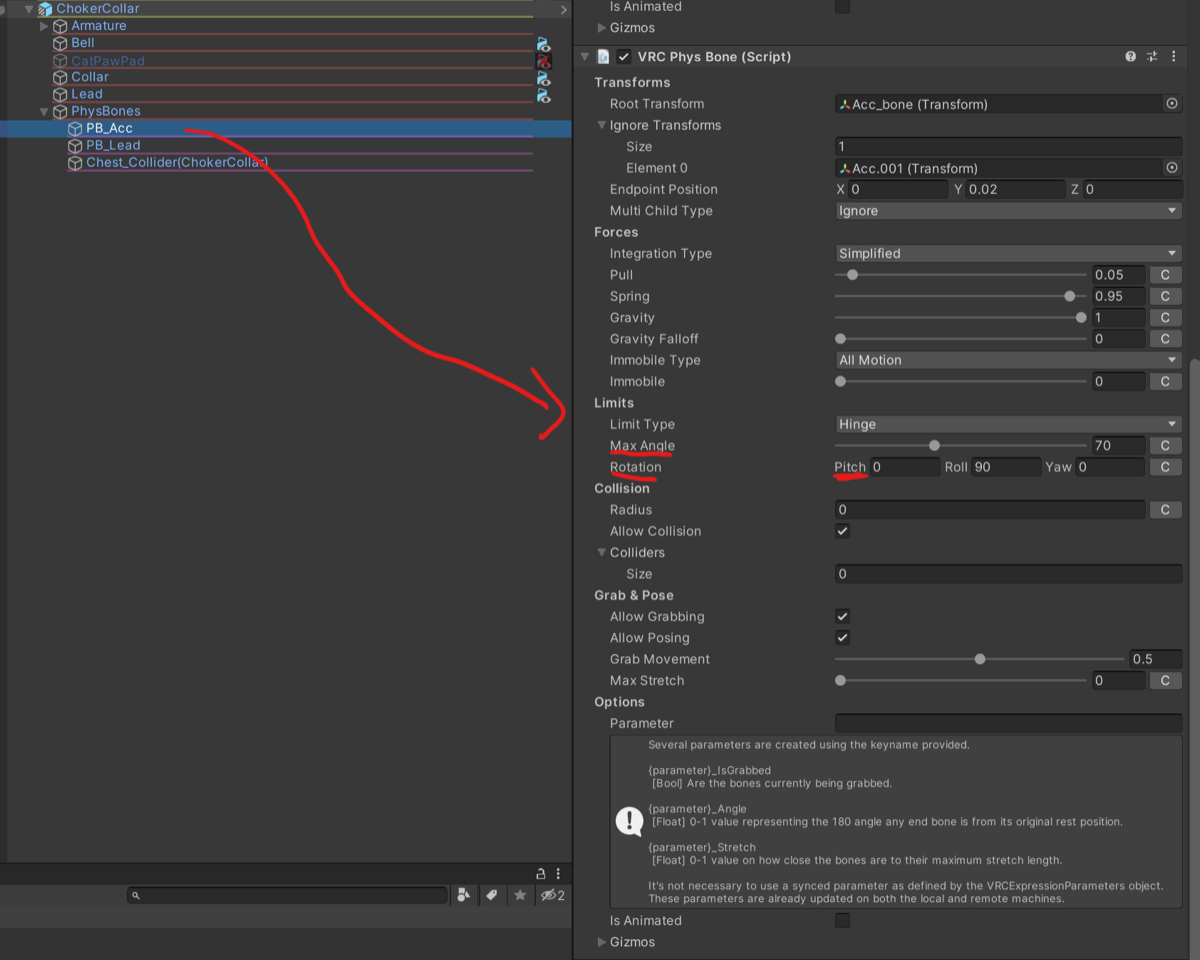
Fitting the bell and paw accessories to your avatar
If the accessories clip into your avatar, adjust Max Angle and Rotation Pitch under Limits of the second VRC Phys Bone in PhysBones>PB_Acc (the one whose Root Transform is Acc_bone).
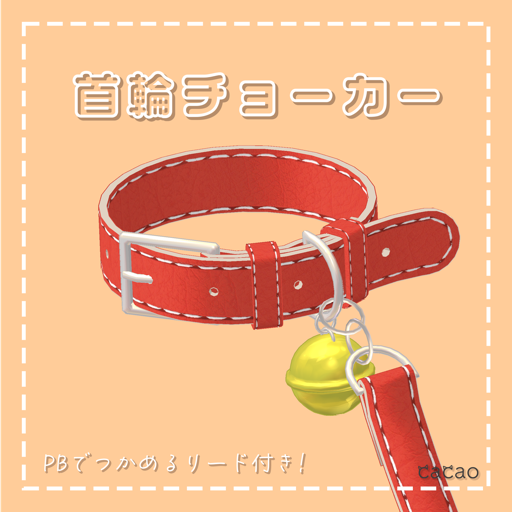
A choker that looks like a collar.
Overview
- PhysBones supported
- △5,810
- 6 textures
- Comes with bell and cat paw accessories.
- Modular Avatar recommended; you can set it up easily by drag and drop. (Modular Avatar)
Main contents
- fbx file
- Texture files
- UV maps
- unitypackage file
Contents of the unitypackage
- Configured Prefab
- fbx
- Texture files
- Materials
Requirements
- lilToon
- Modular Avatar | Modular Avatar (recommended)
Prohibited
- Reselling or redistributing
Disclaimer
- The creator, cacao, takes no responsibility for any trouble, loss or damage caused by using this model.
Credits
The following model was used to create the product images.
- 桔梗 (Kikyo) by ポンデロニウム研究所: https://booth.pm/ja/items/3681787
Changelog
- v1.0 (2023/01/09) Released