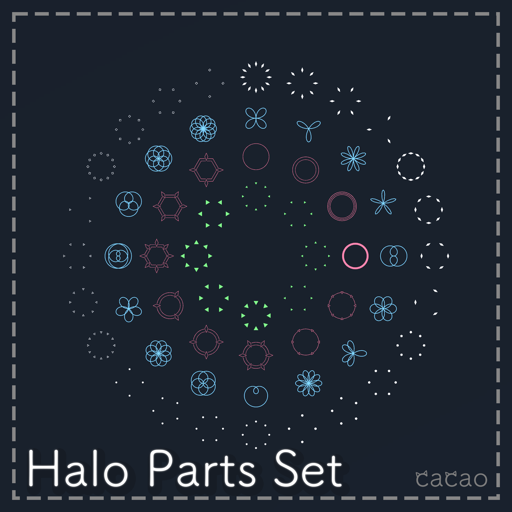
Halo Parts Set
This page explains the Halo Parts Set (ヘイロー作成セット).
Requirements
Setup
- Place
Halo_Base.prefabdirectly under your avatar - Adjust the position of the placed
Halo_Baseto your avatar - Place and adjust the Prefabs of the parts you like inside
Halo_Base/PB_end/Halo_root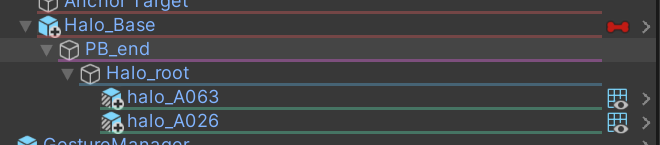
- Done!
Removal
- Delete the Prefab you added to remove it completely.
Other
Adjusting the halo rotation
- Open
Halo_Base.controllerinHaloSet/Anim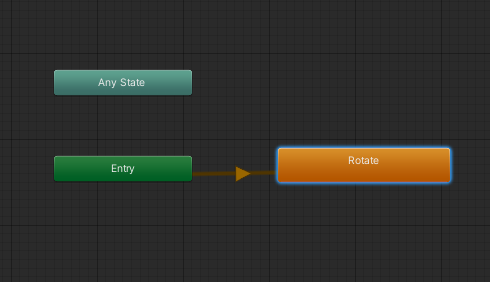
- Click
Rotateand adjust theSpeedvalue in the Inspector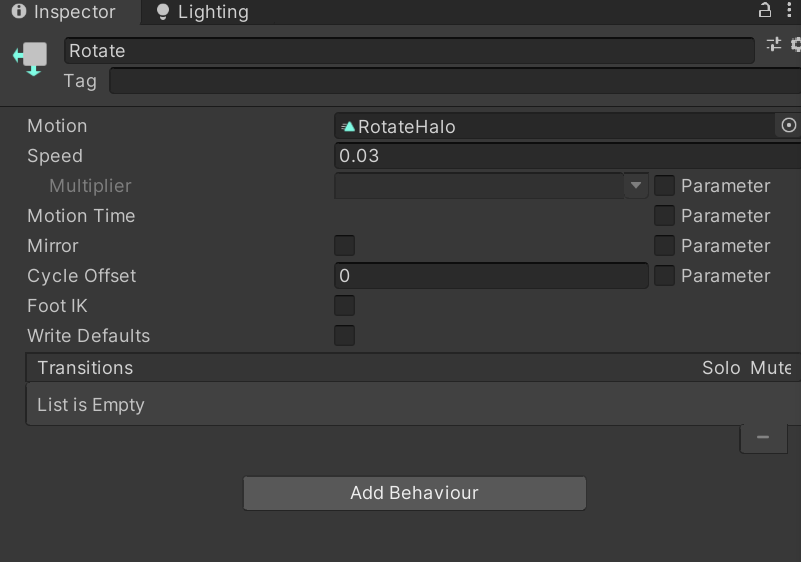
- A larger value rotates faster, a smaller value slower. A negative value reverses the rotation.
Seeing the halo from your own view
- Add the
MA Visible Head Accessorycomponent toHalo_Base
A set of parts for making halos. Combine the parts to create your own halo! It also comes with a constant rotation animation!
Overview
- Set A (64 types)
- Set B (16 types)
- All halos are meshes
- Rotation animation included
- Modular Avatar recommended. (Modular Avatar)
Main contents
- unitypackage file
Terms of use
This product uses the VN3 License ( https://www.vn3.org/index ). Please check it at the link below before purchasing. https://drive.google.com/drive/folders/12FjhmEKxKM6nENNeYNOeuV7D44MWZR5I?usp=share_link
Disclaimer
- The creator, cacao, takes no responsibility for any trouble, loss or damage caused by using this model.
Changelog
- v1.0 (2023/06/01) Released