Rabbit Beret
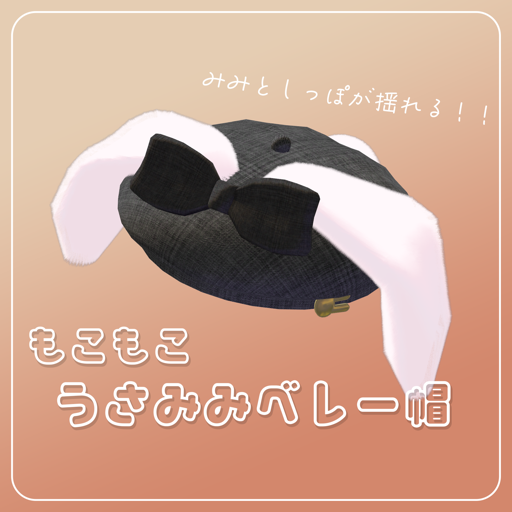
This page explains the Rabbit Beret (うさみみベレー帽).
Modular Avatar version instructions
Setup
- Download Modular Avatar and import it into Unity. (Official documentation)
- Import RabbitBeret.unitypackage.
- Drag and drop the Modular Avatar Prefab
Assets>0001cacao>RabbitBeret>RabbitBeret_MAdirectly under your avatar. - Adjust the position to your avatar.
- Done!
Benefits of the Modular Avatar version
- Easy, non-destructive setup (no need to Unpack Prefab)
- Visible Head Accessory is set, so you can see the hat from your own view too
- Easy to remove
A beret with big bunny ears and a tail.
Overview
- Bunny ears and tail sway with PhysBones
- You can grab and move the hat
- △2,778
- 6 color variations
- You can freely change the color of the ears and tail in Unity
- The ears and tail use lilToon's fur shader
- Modular Avatar supported (easy setup, and you can see the hat from your own view)
Requirements
- lilToon
- Modular Avatar | Modular Avatar (recommended)
Main contents
- fbx file
- Texture files
- UV maps
- unitypackage file
Contents of the unitypackage
- Configured Prefab
- fbx
- Texture files
- Materials
Prohibited
- Reselling or redistributing
Disclaimer
- The creator, cacao, takes no responsibility for any trouble, loss or damage caused by using this model.
Changelog
- v1.0 (2022/11/28) Released